Please Choose Your Language
- All
- Product Name
- Product Keyword
- Product Model
- Product Summary
- Product Description
- Multi Field Search

Views: 0 Author: Site Editor Publish Time: 2026-03-03 Origin: Site
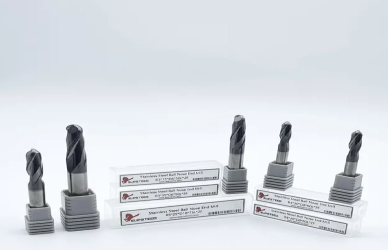
Setting tool height correctly in CNC milling is crucial for achieving precise machining results. The accuracy of tool height directly impacts the cutting depth, surface finish, and overall part quality. If the tool height is set incorrectly, it can lead to issues such as misaligned cuts, poor dimensional accuracy, and even damage to both the workpiece and the milling tool itself. Moreover, accurate tool height ensures the proper interaction between the tool and material, helping to extend tool life by reducing unnecessary wear and tear. Whether using manual or automated methods, proper tool height setup is essential for efficient machining, minimizing scrap, and achieving the desired outcomes in production.
In CNC milling, tool height refers to the vertical distance from the tool’s cutting edge to the machine's reference surface or the workpiece’s top surface. It’s a critical measurement that helps define the tool’s position in relation to the material being machined. Properly setting this height ensures that the tool operates at the correct depth during cutting operations, whether for roughing, finishing, or precise detailing.
If tool height is set incorrectly, several issues can arise:
Poor Cuts: A tool that is too high or too low may not engage the material correctly, resulting in uneven cuts or surfaces that don't meet the required specifications.
Incorrect Depths: If the tool height is inaccurate, it can cause the tool to cut too deep or too shallow, leading to dimensional inaccuracies and potential scrap parts.
Tool Wear: Incorrect tool height can also cause excessive wear. A tool cutting at the wrong height can lead to unnecessary friction, increasing the rate of wear and shortening the tool’s life.
Ensuring accurate tool height is essential for both machining efficiency and the quality of the finished product.
Manual methods for setting tool height are simple and cost-effective, often used in smaller shops or for quick setups. One common approach is the paper method, where a small piece of paper is placed between the tool and the workpiece, and the tool is lowered until it makes contact with the paper. The thickness of the paper is then subtracted from the total height. Another method involves using gauge blocks, which are precision blocks of known height. The tool is lowered onto the gauge block, and the height is adjusted to match the block's thickness. While these methods are accessible, they can be operator-dependent and less repeatable than automated systems.
An automatic tool setter or probe is an advanced solution for measuring tool height with high precision. These devices are typically integrated into CNC machines and allow for quick, accurate tool height measurements. The probe touches the tool and automatically records its position relative to a reference surface. This method eliminates human error, reduces setup time, and ensures consistent, repeatable results, making it ideal for high-volume production or complex machining jobs. Automatic tool setters improve both accuracy and efficiency, reducing the need for manual intervention and providing real-time adjustments for tool wear or shifts in tool position.
Establishing the correct Z-axis reference is crucial for accurate tool height setting in CNC milling. The work zero (or part zero) defines where the tool will start cutting relative to the workpiece. To set the work zero, you typically use a reference point on the workpiece surface, such as the top of the material or a feature like a corner or edge. Once the tool is correctly aligned with this reference point, it ensures that all subsequent cuts are made at the proper depth and with the right positional accuracy, preventing errors and misalignments in the machining process.
It's important to understand the difference between machine zero and work zero in CNC machines:
Machine Zero: This is a fixed, unchanging reference point set by the machine manufacturer, usually the home position of the machine’s axes. It’s a constant reference that doesn’t change between setups.
Work Zero: This is the variable reference point established for each specific job or part being machined. Work zero can be set anywhere on the workpiece or fixture and determines where the machine starts cutting relative to the part. The tool height and all other movements are referenced to this point during the machining process.
Correctly zeroing both the Z-axis and the work offset ensures accurate positioning of the tool relative to the part, allowing precise machining and reducing the risk of errors.
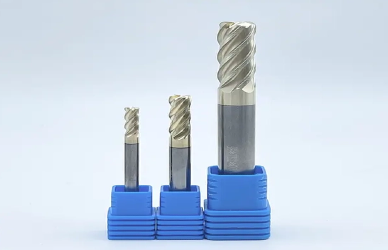
The paper method is a simple and quick way to manually set tool height. Here’s how to do it step-by-step:
Prepare the Paper: Use a standard piece of paper, typically a thin sheet (e.g., standard printer paper).
Position the Tool: Insert the tool into the spindle and move it above the workpiece, ensuring it's not in contact yet.
Jog Tool Down: Slowly lower the tool toward the workpiece, moving in small increments until it just makes contact with the paper.
Feel for Contact: Gently slide the paper back and forth. When you feel resistance (the tool gripping the paper), you've reached the correct height.
Adjust Tool Height: The distance at which the paper is gripped indicates the tool’s height. If needed, adjust the Z-axis to compensate for the paper thickness and set the Z zero in the CNC control.
Record the Z Value: After touching off, note the Z height and enter this value into the work offset (e.g., G54) or tool length offset (H) in your CNC machine.
This method works well for quick setups but can be less precise and repeatable than other techniques.
Gauge blocks provide a more precise and repeatable way to set tool height. Here’s how to use them:
Select the Right Gauge Block: Choose a gauge block with a known thickness that matches the desired tool height or the distance from the tool to the work surface.
Place the Gauge Block: Position the gauge block on the workpiece surface, either on a fixture or directly on the material.
Jog the Tool Down: Slowly lower the tool until it just touches the top of the gauge block. Make sure to approach gently to avoid damaging the tool or block.
Confirm the Height: Ensure the tool is resting precisely on the gauge block. You may need to fine-tune the Z-axis to match the gauge block thickness perfectly.
Set the Z Value: Once you have confirmed the tool height with the block, enter the Z value into the tool offset or work offset in your CNC machine.
Using gauge blocks offers greater accuracy, particularly for critical setups, and provides a more consistent measurement for repeated tool height setting.
Regular calibration is essential for maintaining tool height accuracy. Over time, mechanical wear and tool changes can cause slight shifts in machine settings or offsets. Recalibrating tool height ensures that any small errors or discrepancies are corrected, maintaining precision throughout the machining process. It’s particularly important to recalibrate after tool changes, machine crashes, or fixture adjustments. By routinely checking and adjusting the tool height, you prevent cumulative errors that could affect the overall part quality and machining efficiency.
A clean work surface and tools are crucial for accurate tool height measurements. Debris, chips, or dirt on the workpiece or fixture can alter the tool's contact point, leading to incorrect height settings. Ensure that both the work surface and tools are free of contaminants before performing touch-offs or measurements. Regularly clean the CNC machine’s spindle and tool holders to avoid the buildup of chips or coolant, which could prevent the tool from seating properly. A clean setup minimizes errors and guarantees that the tool height is set accurately every time, improving machining consistency and part quality.
Several issues can cause inaccurate tool height settings:
Tool Wear: Over time, tool wear can shorten the tool's effective length, leading to shallow cuts or dimensional inconsistencies.
Offsets: Incorrect tool length or work offsets can cause incorrect depth, often due to mixing up the Z value or failing to update offsets after tool changes.
Wrong Probe Settings: Improper calibration, misalignment, or contamination of automatic tool setters or probes can result in inaccurate readings.
To address these issues, follow these tips:
Inspect Tool Condition: Regularly check for wear and replace or sharpen tools as needed. Recalibrate the tool height after tool changes.
Verify Offsets: Double-check that the correct offsets are entered for tool length and work offsets, especially after tool changes or adjustments.
Calibrate the Probe: Ensure the probe is clean, calibrated, and properly aligned. Perform a test cycle to confirm accuracy before starting work.
By proactively addressing these common problems, you can maintain precise tool height, improve machining accuracy, and reduce errors.
Setting tool height accurately in CNC milling is crucial for achieving precision and maintaining high-quality machining results. Whether using manual methods like the paper or gauge block technique, or automated methods such as tool setters and probes, each approach has its strengths depending on the job. Regular calibration, verifying offsets, and maintaining clean work surfaces are key to ensuring consistent accuracy. By carefully selecting the right method for your setup, performing regular maintenance, and addressing common tool height issues, you can enhance machining efficiency, reduce errors, and extend the lifespan of both your tools and CNC equipment.
A: Machine zero is the fixed home position, while work zero is set to a specific point on the part or fixture for accurate machining.
A: Yes, the paper method is a simple and effective manual method, though it is less precise compared to other options like gauge blocks or probes.
A: Tool height should be recalibrated whenever there are tool changes, fixture adjustments, or after a crash to maintain machining accuracy.
A: Check the probe calibration, ensure it’s clean and free of debris, and confirm the probe’s contact surface is level for accurate readings.


