Please Choose Your Language
- All
- Product Name
- Product Keyword
- Product Model
- Product Summary
- Product Description
- Multi Field Search

Views: 0 Author: Site Editor Publish Time: 2026-03-02 Origin: Site
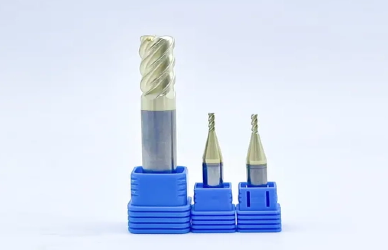
Accurate tool touch-off is critical in CNC machining because it directly affects consistent Z-depth control, surface finish quality, and the number of scrap parts produced. Even a small error in tool length offset can lead to shallow cuts, overcut features, or broken milling tools. Many operators struggle with common issues such as incorrect offsets, inconsistent readings, mixed datum setups, or tools not being properly seated in the holder. The good news is that with the right workflow and properly managed milling tools, you can establish reliable tool length offsets, maintain repeatable accuracy, and begin cutting with confidence every time.
Before touching off any milling tools, it’s essential to understand what you’re actually setting. Many errors happen not because the measurement was wrong, but because the wrong reference was used.
Machine zero is the fixed home position defined by the CNC manufacturer and cannot be changed. Work zero, however, is programmable and typically set using work coordinate systems like G54 through G59. Work zero defines where the part exists in relation to the machine. Touching off usually establishes the relationship between your tool and this selected work coordinate system.
Tool length offsets (H values) store the Z-length of each tool. This ensures every tool cuts at the correct depth when called in the program. Tool diameter or wear offsets (D values) adjust for cutter size or fine-tune dimensions during machining. Mixing up H and D offsets is a common source of setup mistakes.
“Touching off” is not just contacting a surface—it is creating a repeatable relationship between the spindle, the tool, and the workpiece. The goal is consistency. Every tool must reference the same datum if you want predictable cutting depth and clean part transitions during tool changes.
Select a clear and repeatable reference point, such as the machine table, top of the vise jaw, a gauge block, or a probe plate. Once chosen, stick to that datum for all milling tools in the setup. Consistency in your reference strategy is what ensures accuracy from the first tool to the last.
Different shops and setups call for different touch-off methods. The right choice depends on your production volume, accuracy requirements, and the number of milling tools involved.
The paper method is one of the simplest ways to touch off a tool. A thin sheet of paper is placed between the tool and the reference surface, and the tool is lowered slowly until it lightly grips the paper.
Best for: Quick setups, prototypes, and low-risk tools
Advantages: Simple, no extra equipment required
Limitations: Less repeatable and highly operator-dependent
Because paper thickness varies, consistency relies on technique and feel.
Using a precision gauge block or 1-2-3 block improves repeatability. The tool is lowered until it just contacts the block, and the known block height is accounted for in the offset.
Best for: Shops seeking better consistency without investing in electronics
Advantages: More accurate than paper, low cost, reliable
Limitations: Requires careful handling and clean surfaces
This method strikes a good balance between affordability and precision.
Electronic tool setters and probes automate the measurement process. The tool contacts a sensor that records exact position data directly into the control.
Best for: Production environments and frequent tool changes
Advantages: Fast, highly repeatable, ideal for managing multiple milling tools
Limitations: Higher initial investment and requires calibration
For shops running many tools per job, electronic systems significantly reduce setup time.
A probe plate is placed on the table or fixture, and the tool makes electrical contact to register Z position.
Best for: Small CNC machines and hobby or light production setups
Advantages: Consistent Z referencing, compact and affordable
Limitations: Requires clean contact surfaces and stable wiring to avoid false readings
No matter which method you choose, consistency in process and reference surface is what ensures reliable tool offsets.
Before touching off any milling tools, run through a quick pre-setup checklist. Many offset errors are not caused by the measurement method itself, but by overlooked setup details.
Even a small chip under the tool or on the probe plate can change your Z reading. Wipe down the table, vise jaws, gauge blocks, or electronic probe surface thoroughly. A few thousandths of debris can lead to noticeable depth errors.
Make sure the tool is properly inserted into the holder and tightened to specification. A tool that is not fully seated can shift during cutting, changing the effective length and risking pullout or breakage.
Confirm the machine is set to the correct unit system (inch or metric). Double-check that you are in the correct mode (MDI, jog, or tool measurement cycle) and that the spindle orientation matches your touch-off method.
Approach the reference surface slowly when touching off. A controlled feed reduces the risk of crashing the tool, overshooting the contact point, or damaging the probe.
Active coolant or air can interfere with electrical probe signals or cause debris to shift during contact. Turn off coolant and air blast before making the final touch-off movement.
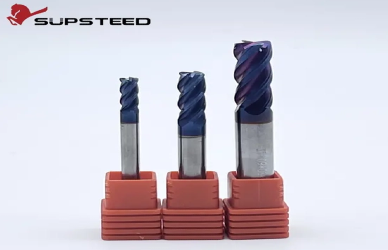
Manual Z touch-off is reliable when done with a consistent routine. Whether you use the paper method or a gauge block, the goal is the same: establish a repeatable Z reference for your milling tools without mixing offset strategies.
Before touching Z, confirm your work coordinate system is correct.
Establish X/Y using a known feature, edge finder, or a reference surface on the fixture.
Confirm the active WCS on the control (for example, G54).
If the wrong work offset is active, even a perfect Z touch-off will be wrong.
With X/Y set, move to your Z reference point (table, vise jaw, gauge block, or a dedicated touch-off surface).
Jog down safely, stopping well above the surface first, then switch to a slow “creep” feed for the final approach.
Compensate correctly: subtract paper thickness (if using paper) or account for the exact height of the gauge block.
Enter the Z value intentionally: put Z into the work offset or into the tool length offset system—never both randomly, or you’ll double-count and crash.
Once you have a valid Z reference, ensure the tool offset mapping is consistent.
Match tool numbers to H numbers (for example, Tool 1 uses H01, Tool 2 uses H02).
Verify your program calls the correct H offset when the tool is loaded.
Before cutting, run a quick safety check.
Jog the tool to a safe height and perform a dry move (air move) above the part or fixture.
Confirm the tool clears clamps, vise jaws, and the workpiece before starting the cycle.
A careful manual touch-off takes only a few minutes, but it greatly reduces the risk of bad Z depths, broken tools, and scrapped parts.
Electronic tool setters and probes provide fast, repeatable measurements for multiple milling tools, especially in production environments. However, accuracy depends on proper calibration and verification.
Before measuring tools, confirm the system is correctly calibrated.
Ensure the control has the correct setter height or probe parameters stored.
Verify calibration whenever the machine has been crashed, serviced, or when fixtures have changed.
Without proper calibration, even automated systems will produce inaccurate offsets.
Load each tool into the spindle and run the measurement cycle according to your machine’s procedure.
Record each tool’s length directly into the tool table.
Maintain consistent tool number to H offset mapping.
For tight-tolerance jobs, repeat measurement for critical finishing tools to confirm repeatability.
Consistency during this stage ensures that every tool references the same datum.
Never assume offsets are correct without verification.
Run a safe air cut above the workpiece to confirm clearance.
Verify Z depth by cutting a shallow test feature or checking against a known reference surface.
Taking a few extra minutes to validate offsets protects your milling tools, improves dimensional accuracy, and prevents costly setup errors.
Tool touch-off is the foundation of CNC accuracy. When your work offsets and tool length offsets are consistent, your cuts become predictable, your finishes improve, and your milling tools last longer. Use a repeatable method, verify your references, and validate with a safe test move before committing to the first cut.
Q1: Should I set Z in the work offset (G54) or in the tool length offset (H)?
A: Use one consistent approach. Most shops set Z in G54 to a known reference and store each tool’s length in H offsets for repeatability.
Q2: Why do I get different touch-off results for the same tool?
A: The usual causes are chips under the tool, burrs on the reference surface, inconsistent approach feed, or a tool not fully seated in the holder.
Q3: How often should I re-touch off tools during a job?
A: Re-touch after tool changes, insert replacements, crashes, or when finishing tolerances are tight. Critical finishing tools benefit from periodic verification.
Q4: What’s the safest way to confirm offsets before cutting the part?
A: Do an “air cut” or a dry run above the workpiece, verify clearance, then cut a shallow test feature (like a skim pass) to confirm Z accuracy.


